SECTION 03.3 · VIEW MODES
Stomp Mode
A pedalboard-style grid of your assigned switches.

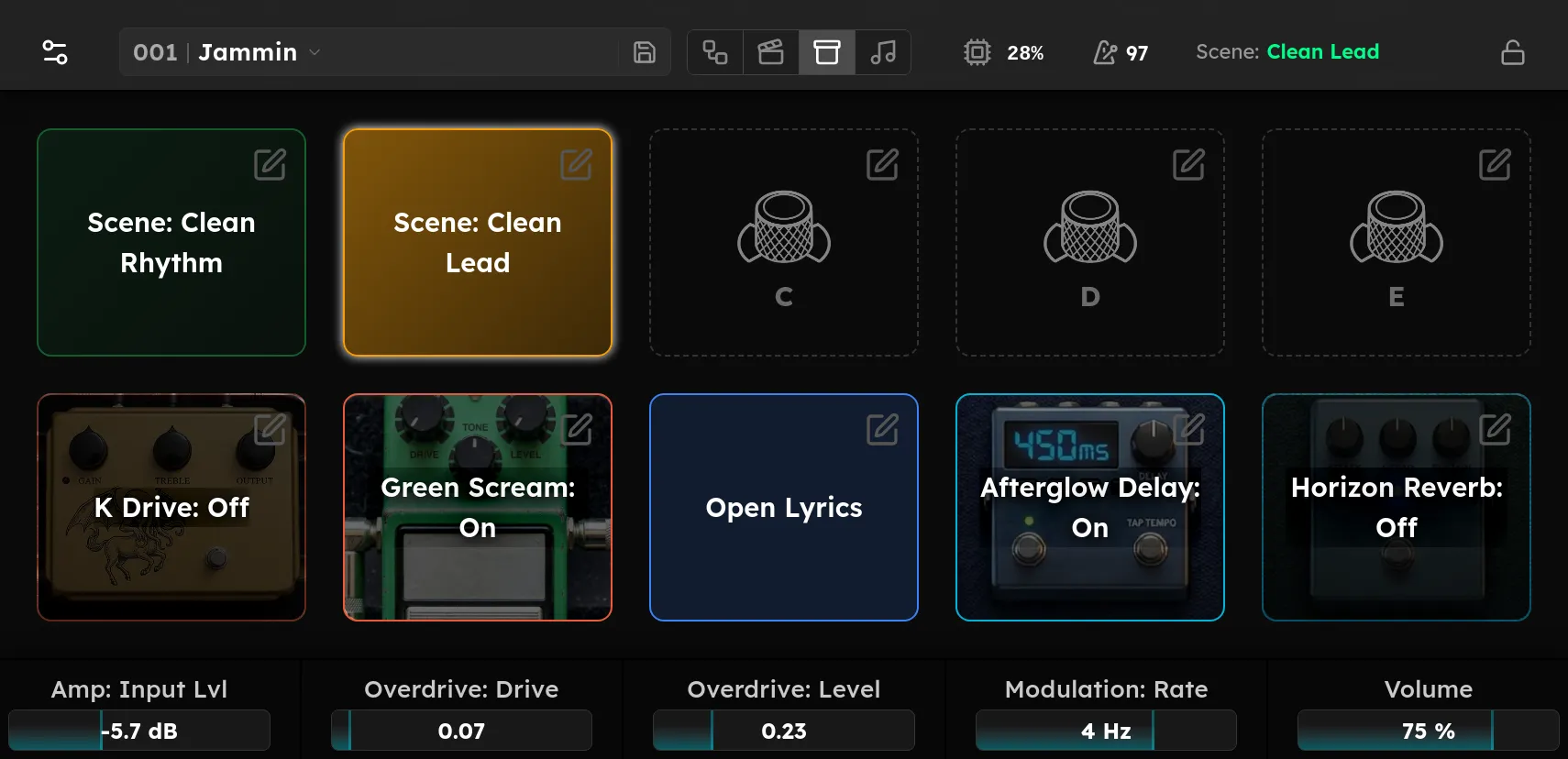
The Stomp view is a pedalboard-style grid of all ten switches, the five knobs and the five footswitches, laid out the way they sit on the unit. Each tile shows what its switch is assigned to and its current state:
- A bypass toggle shows the device name and On or Off, lit when the effect is on and dimmed when it is bypassed, over the device’s artwork.
- A scene change shows the scene name in its colour, highlighted when that scene is active.
- An unassigned switch shows a dashed placeholder tile.
Tap a tile to fire it, exactly as pressing the switch would: toggle the effect, change the scene, and so on. Tap a tile’s edit button, or tap an unassigned tile, to jump straight to that switch in Footswitch Assignment.
The Stomp view is a live picture of your switch assignments; it stores nothing of its own. Change what the switches do in Footswitch Assignment.