K Drive
Transparent Klon-style overdrive with parallel clean/driven paths and gain-dependent blend

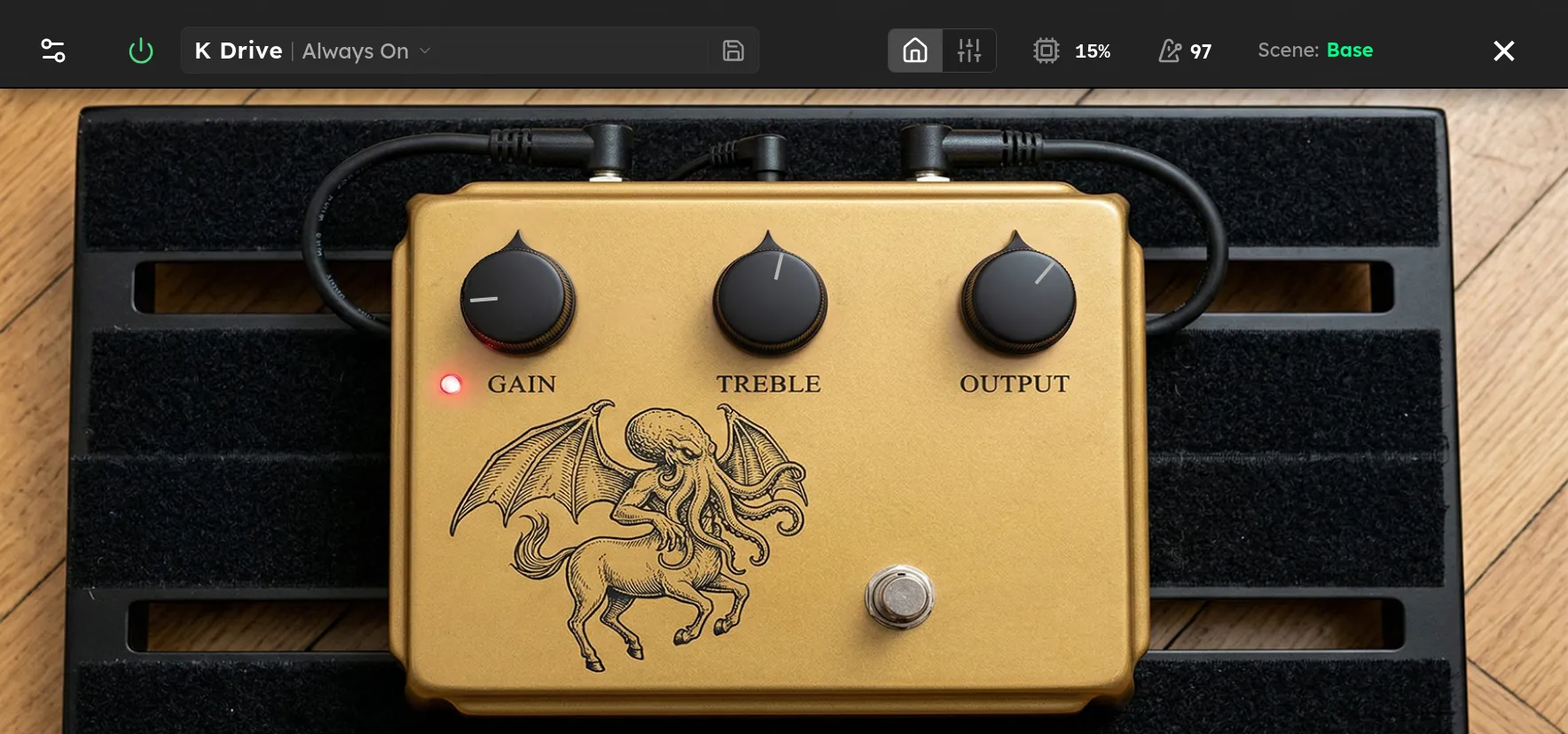
Parameters
| Parameter | Range | Default |
|---|---|---|
| Gain | 0 – 100 % | 50 % |
| Treble | 0 – 100 % | 50 % |
| Channel Mode | Mono, Stereo | Mono |
| High Fidelity | Off, On | Off |
| Level | -20 – 12 dB | 0 dB |
Overview
K Drive is a Klon-style overdrive that combines parallel clean and driven signal paths. At low Gain settings, the clean path dominates and the device behaves like a clear, lightly colored boost. As Gain rises, the driven path becomes more prominent while some clean signal remains in the mix, preserving attack and definition.
The driven path limits low frequencies before soft germanium-style clipping, while the full-range clean path carries the body of the guitar. This produces the tight low end, focused midrange, and touch-sensitive compression associated with this type of circuit. K Drive works well as an always-on tone enhancer, a boost into a driven amp, or a medium-gain overdrive into a clean amp.
Controls
-
Gain sets both the gain of the clipping stage and the balance between the clean and driven paths. Low settings are mostly clean. High settings add more saturation and make the driven path dominant, but never remove the clean path completely.
-
Treble applies a high-frequency shelf after the two paths are blended. Lower settings darken the sound, while higher settings add presence and bite. Around 25% is closest to a flat shelf. The default 50% setting adds a modest treble lift.
-
Level sets the output gain from -20 dB to +12 dB. Use lower values to match bypass volume at higher Gain settings, or positive values to push the next device or amp.
-
Mode selects the overall voicing. Classic provides the warmer standard response. Bright tightens the driven low end and extends its upper-frequency response, with a slightly stronger and higher Treble shelf.
Tips
For a clean boost, keep Gain very low and raise Level. This emphasizes the clean path while adding a small amount of soft compression and midrange focus.
For an always-on sound, set Gain between 10% and 25%, then use Treble to suit the guitar and amp. Single-coil pickups may benefit from a lower Treble setting, while dark humbuckers can often take more.
To push an already driven amp, use low Gain and positive Level. The filtered driven path helps keep the bass tight, while the retained clean signal preserves pick attack.
For a standalone overdrive, raise Gain above halfway. As the clean-to-driven blend shifts, the sound becomes thicker and more compressed without losing all of the original note definition.
Bright mode is useful with dark guitars, cabinets, or downstream drives. If it becomes too sharp, reduce Treble toward 25% before switching back to Classic.
Starting Points
| Setting | Gain | Treble | Level | Mode |
|---|---|---|---|---|
| Clean Boost | 8 % | 50 % | 4 dB | Classic |
| Always On | 15 % | 55 % | 0.8 dB | Classic |
| Classic Drive | 65 % | 50 % | -2.4 dB | Classic |
| Warm Bright Mode | 50 % | 30 % | 0.8 dB | Bright |
| Singing Lead | 75 % | 55 % | 2 dB | Classic |
Treat the Level values as starting points. Pickup output, other devices, and amp gain all affect the final volume.