Song Mode
Scrolling lyrics and charts for the current song, synced to tempo.

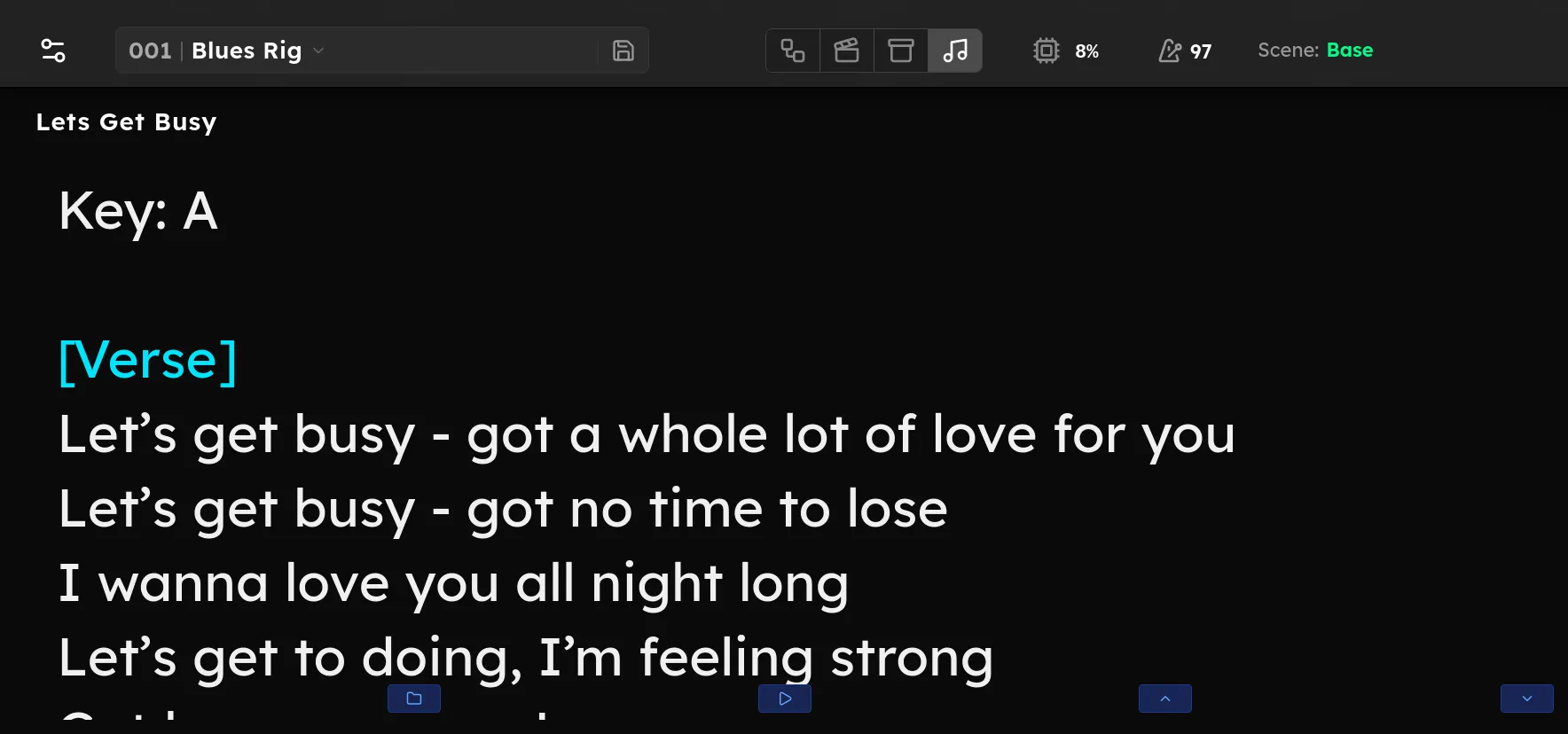
The Lyrics view shows a large, scrolling lyric or chord sheet for the current song, sized to be easily read while performing on stage. This screen can be set to scroll automatically in time with the song’s tempo to avoid the need for manual scrolling.
Loading a song
Press and hold footswitch 2, or tap Load Song / Lyrics (or the song name at the top) to browse the Songs folder and pick a text file. Lines wrapped in [brackets] are treated as section headings and coloured. The chosen song is saved with the rig, so loading the rig brings its lyrics back.
Scrolling
- Autoscroll: the play/pause control scrolls the sheet automatically, paced to the rig’s tempo. It pauses while you touch the screen and resumes shortly after.
- Manual: the up and down controls nudge the sheet, or scroll continuously while held. Press and hold footswitch 4 or 5 to scroll up or down.
Hands-free
While Lyrics is the active view, the hold functions on footswitches 2 to 5 are taken over for lyrics control. They override those switches’ normal hold functions for as long as you are on this screen:
- Hold 2: Open the song browser
- Hold 3: Start/pause autoscrolling
- Hold 4: Scroll up
- Hold 5: Scroll down
Footswitch 1’s hold (change view mode) is not changed, so you can still switch away. Leaving the Lyrics view restores every switch’s normal hold functions.