Neural Amp Modeler
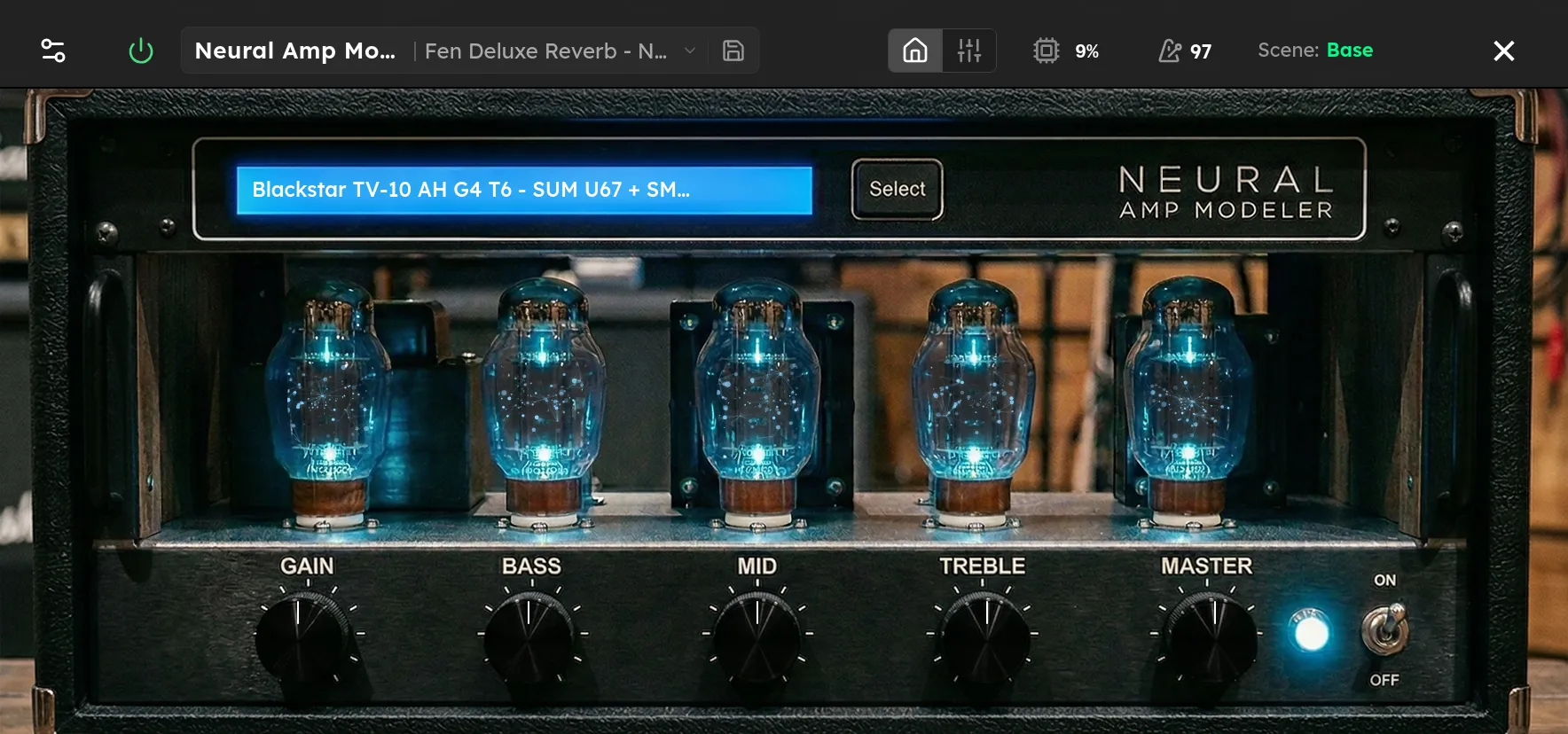
Neural amp modeler with integrated bass/mid/treble tone stack, HPF/LPF and pick-attack shaping. Native device backed directly by the NeuralAudio inference library.

Parameters
| Parameter | Range | Default |
|---|---|---|
| Neural Model | File | None selected |
| Gain | -20 – 20 dB | 0 dB |
| Bass | -20 – 20 dB | 0 dB |
| Mid | -20 – 20 dB | 0 dB |
| Treble | -20 – 20 dB | 0 dB |
| Bass Freq | 60 – 500 Hz | 250 Hz |
| Mid Freq | 200 – 2000 Hz | 800 Hz |
| Treble Freq | 1000 – 8000 Hz | 2500 Hz |
| Pick Attack | -1 – 1 | 0 |
| HPF | 20 – 500 Hz | 20 Hz |
| LPF | 1000 – 20000 Hz | 20000 Hz |
| Squish | 0 – 100 % | 0 % |
Overview
Neural Amp Modeler loads a compatible neural model and recreates the nonlinear response captured in that file. Depending on the model, it may represent an amplifier, a drive pedal, or a complete recorded chain. Select Neural Model to browse the Models library, then use Input Lvl to hit the model at the intended strength. More input can produce more drive on models that respond dynamically.
The integrated Bass, Mid, and Treble bands provide gain and an adjustable frequency for each region. HPF removes low frequencies below its cutoff, and LPF removes highs above its cutoff. Pick Attack uses positive values to emphasize the transient and negative values to soften it. Squish evens playing dynamics while preserving the way pick strength drives the model. At 0% it is inactive.
Tips
- Load the model first and begin with Input Lvl at 0 dB and all tone gains at 0 dB. Make level changes before compensating with EQ.
- If a model is too clean or too driven, adjust Input Lvl. This changes how the model responds, not just the final volume.
- Use HPF to remove rumble and LPF to tame cabinet fizz. Leave both open when the selected model already contains suitable filtering.
- Use a small positive Pick Attack value for more definition or a small negative value for softer leads. Extreme values are better suited to special effects.
- Raise Squish gradually for more consistent notes. Compare at equal loudness and stop when the playing response begins to feel too restrained.