05.16 · DEVICES Reverb
Horizon Reverb
CATEGORY
Reverb
Convolution reverb

Parameters
| Parameter | Range | Default |
|---|---|---|
| IR File | File | None selected |
| Reverse | Off, On | Off |
| Head Cut | 0 – 1 | 0 |
| Tail Cut | 0 – 1 | 0 |
| Fade In | 0 – 1 | 0 |
| Fade Out | 0 – 1 | 0 |
| Loudness | -100 – 100 | 0 |
| Pre-Delay L | 0 – 200 | 0 |
| Pre-Delay R | 0 – 200 | 0 |
| Low Cut | 20 – 1000 | 20 |
| High Cut | 1000 – 20000 | 20000 |
| Decay Curve | 1 – 5 | 2.5 |
| Trim Threshold | -80 – 0 | 0 |
| Normalize IR Level | Off, On | On |
Overview
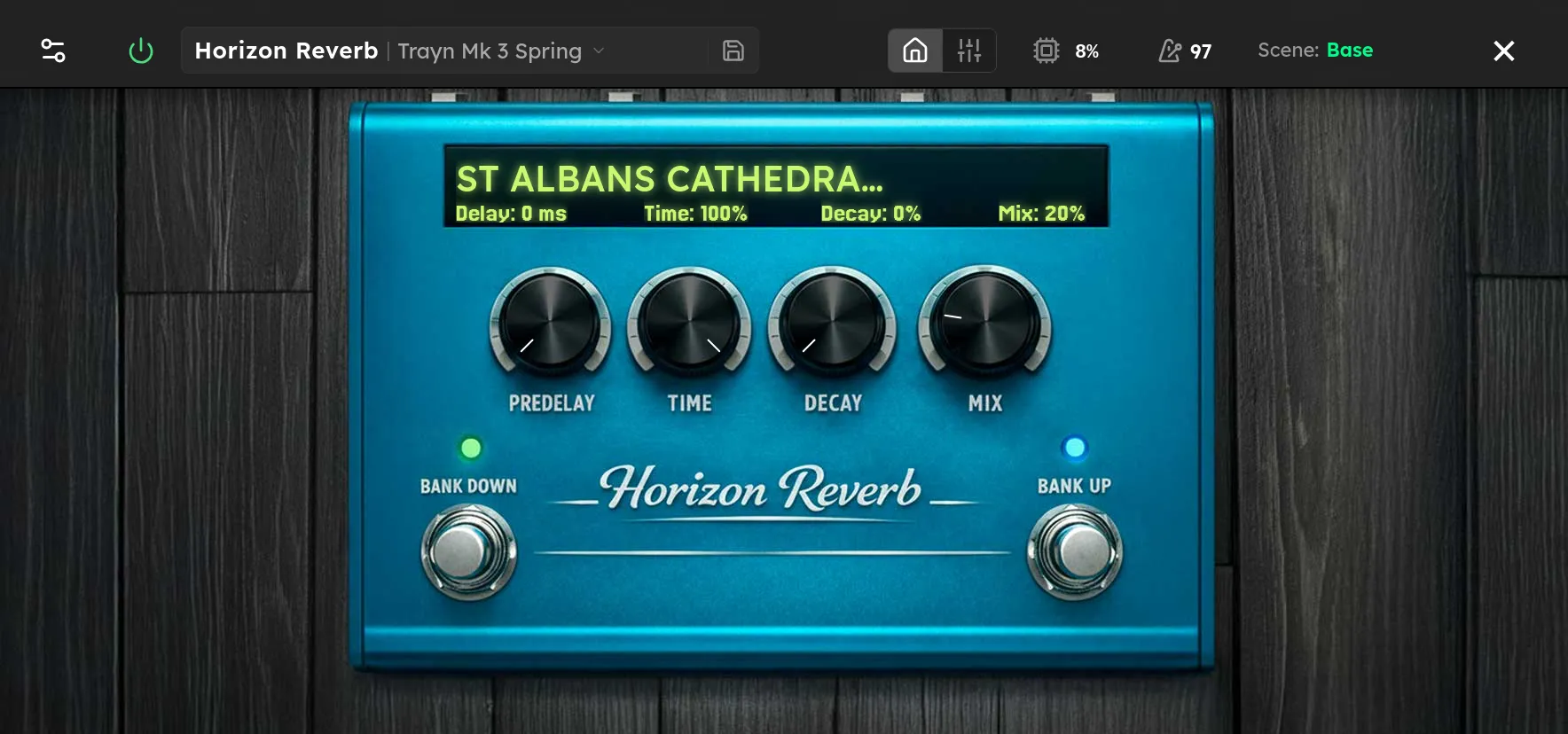
Horizon Reverb uses a recorded impulse response to reproduce the response of a real or designed acoustic space. Select IR File to choose a reverb from the Reverbs library. Unlike an algorithmic reverb, the character and basic length come from that file, which makes Horizon useful for captured rooms, plates, springs, halls, and unusual sound design spaces.
Pre Delay L and Pre Delay R separate the dry attack from the reverb and can create stereo offset. The current build also displays Reverse, Head Cut, Tail Cut, Fade In, Fade Out, Decay Curve, and Trim Threshold as reserved IR shaping controls. They do not alter the loaded response yet. Leave them at their defaults when creating a rig for the current build.
Tips
- Choose the IR before fine tuning other controls because every file has its own tone, timing, and decay.
- Start with matching left and right Pre Delay values around 20 to 40 ms for a lead sound that keeps the dry attack clear.
- For a wider response, try a small difference between left and right Pre Delay. Check the result in mono before saving the rig.
- If the reverb is too long or has the wrong envelope, choose another IR. The reserved shaping controls cannot shorten or reverse it in the current build.
- Put Horizon near the end of the chain so drives and amp models do not distort the reverb unless that texture is intentional.