Devices
What a device is, the categories Axion ships, and how parameters work.
A device is a single audio processor you can place in the signal chain: an amp, a drive, a cab, a reverb, a compressor, or an EQ. On a pedalboard, each pedal is a device. Inside Axion, each block in the chain is a device.
Every device has:
- A name and a category (Drive, Modulation, Reverb, etc.)
- A small set of parameters (the knobs you turn)
- An internal sample-accurate audio processor that runs in real time

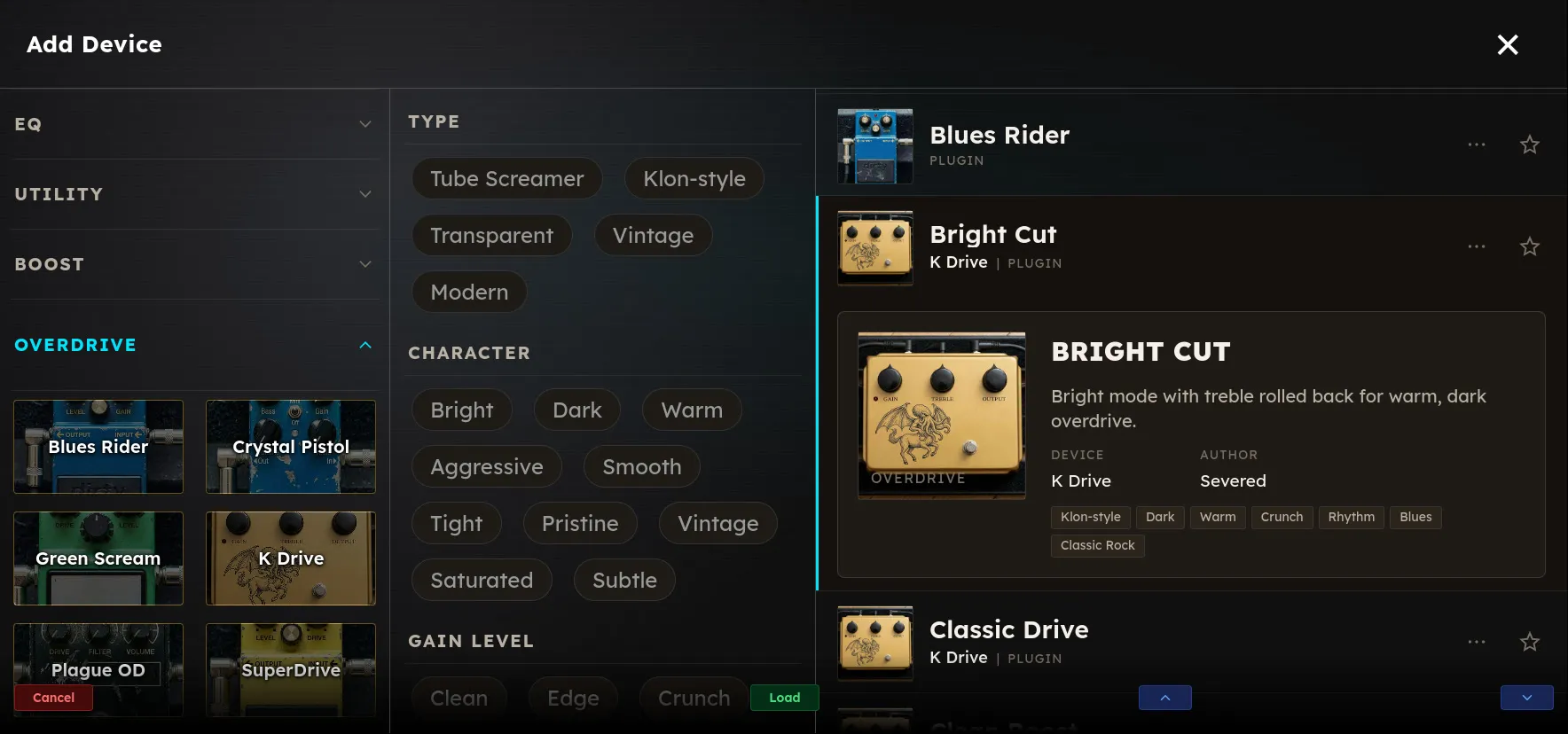
Categories
Axion organizes devices into categories so they are easy to find, such as:
- Amp: guitar amp simulators
- Cabinet / IR: speaker cabinet simulation, including impulse-response convolution
- Drive: overdrive, distortion, fuzz
- Dynamics: compressors, limiters, dynamic EQ
- EQ: equalizers
- Modulation: chorus, phaser, tremolo, flanger
- Delay: echoes
- Reverb: spatial / ambient
- Utility: boost, gain trim, splitters
Browse the Device Reference for the full list of devices that ship with Axion.
You can also add your own categories, by creating folders under Content/Devices on the Axion Network Folder. Devices placed in a top-levle folder will be listed under a category with the same name as the folder.
Parameters
A parameter is one adjustable value on a device. For example, the “Drive” knob on an overdrive, the “Mix” knob on a reverb, or the threshold on a compressor.
Parameters come in a few flavors:
- Float: a continuous value within a range (e.g. 0.0 to 1.0). Most knobs.
- Enum: picks from a fixed list of options (e.g.
Symmetrical/Asymmetricalclip modes) - Boolean: on / off
Every parameter has a default value the device ships with. Resetting a device returns all its parameters to their defaults.
First-party vs third-party
Devices that ship with Axion are first-party: built by the Axion team, tuned for the hardware, and guaranteed to work within the real-time budget. You can also load third-party devices. Axion supports the VST3 and LV2 specification, therefore many real-time audio processing plugins designed for use in a Windows or Linux DAW can also run on Axion. See Open Platform for how that works and what the trade-offs are.
Adding, reordering, removing
You can add a device to the chain, drag it earlier or later, bypass it without removing it, or delete it entirely. None of these actions are destructive to your saved rigs; they only modify the rig you’re currently editing until you save it.