Blues Rider
Bluesy overdrive with shunt-style clipping and a BD-2-style tilt tone control

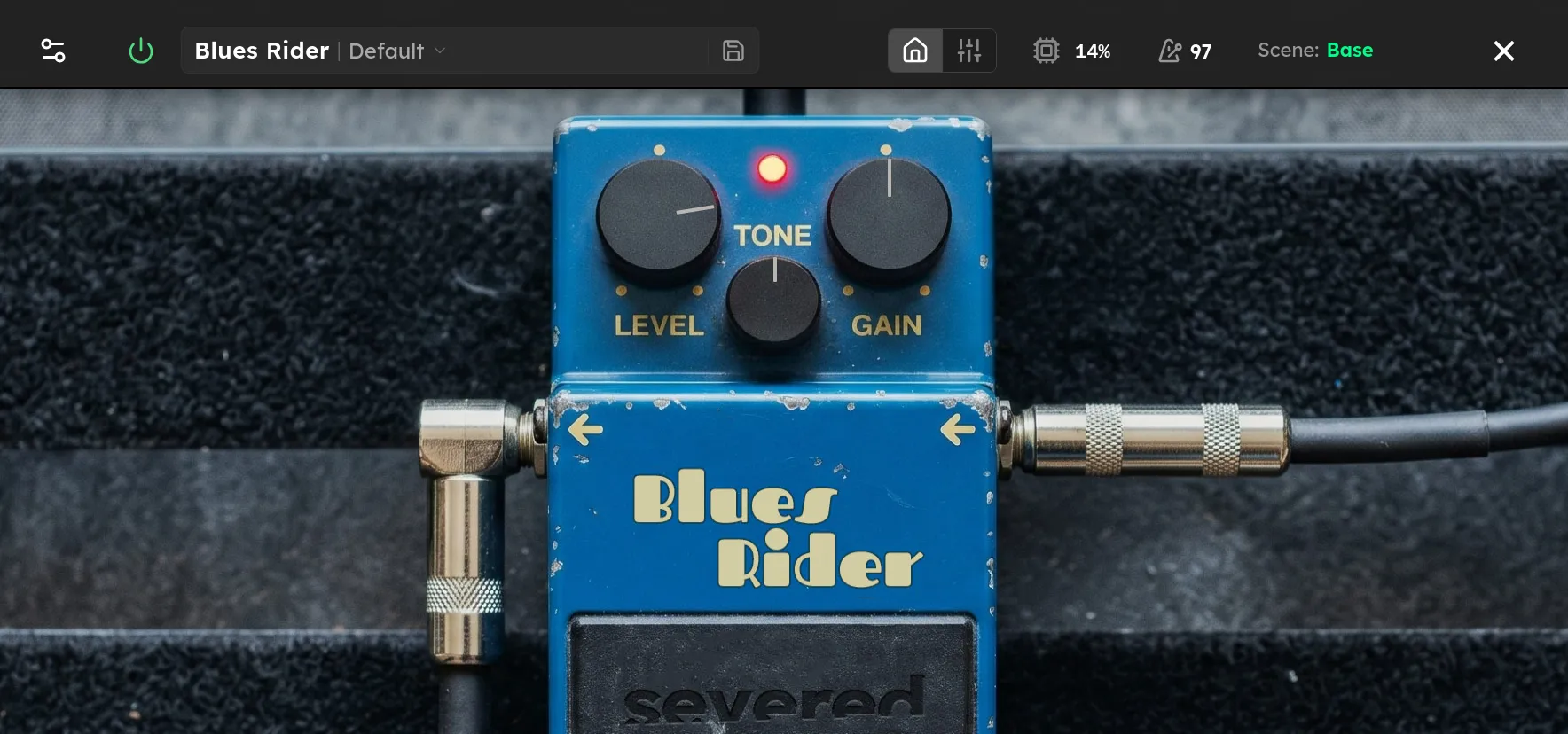
Parameters
| Parameter | Range | Default |
|---|---|---|
| Level | -24 – 6 dB | 0 dB |
| Tone | 0 – 100 % | 50 % |
| Gain | 0 – 100 % | 50 % |
| Mode | Stock, Mod | Stock |
Overview
Blues Rider is a Blues Driver style overdrive with an open frequency response, a crisp attack, and a broad gain range. It responds well to picking strength and guitar volume, moving from a lightly colored boost to grainy blues and rock crunch. At high Drive settings, it becomes more compressed and saturated while retaining note definition.
Compared with a mid-focused overdrive, Blues Rider preserves more low and high frequency detail. This makes it useful as a standalone drive into a clean amp, a dynamic rhythm sound, or a boost into an amp that is already beginning to break up.
Controls
-
Drive sets the gain feeding the clipping stage. Low settings keep more of the natural pick attack. Higher settings add saturation, compression, and sustain.
-
Tone tilts the frequency response around a central point. At 50%, the response is flat. Lower settings boost bass and reduce treble. Higher settings reduce bass and boost treble.
-
Level sets the output volume from -24 dB to +6 dB. It does not change the amount of clipping.
-
Mode selects the voicing. Stock provides the classic Blues Driver style response. Mod changes the clipping and filter voicing for slightly more low-end extension, a smoother top end, and a subtly different Tone response.
Tips
For a touch-sensitive blues sound, keep Drive below halfway and Tone near 50%. Pick lightly for a cleaner response, then dig in for more grit.
For a cleanish boost, set Drive low and raise Level. Keep Tone at 50% for the most neutral response, or move it slightly higher to tighten the bass before a driven amp.
For classic rock rhythm, raise Drive past halfway and adjust Tone for the amp or cabinet. Bright systems often benefit from a setting below 50%, which adds body while softening the top end.
Use Mod mode when Stock feels too lean or sharp. Because Mode changes both the clipping and filtering, recheck Tone and Level after switching.
At high Drive settings, lowering Tone can keep the extra harmonics from sounding brittle. Raising Level by a few decibels can also help compensate for the added compression.
Starting Points
| Setting | Drive | Tone | Level | Mode |
|---|---|---|---|---|
| Cleanish Boost | 10 % | 50 % | 4 dB | Stock |
| Touch-Sensitive Blues | 30 % | 45 % | 0 dB | Stock |
| Classic Rock Crunch | 55 % | 50 % | 1 dB | Stock |
| Cutting Lead | 65 % | 60 % | 3 dB | Stock |
| Smooth, Full Drive | 70 % | 45 % | 3 dB | Mod |
Treat the Level values as starting points. Pickup output, other devices, and amp gain all affect the final volume.