Stacks
Group devices into one block, or run several chains in parallel, with a Stack.

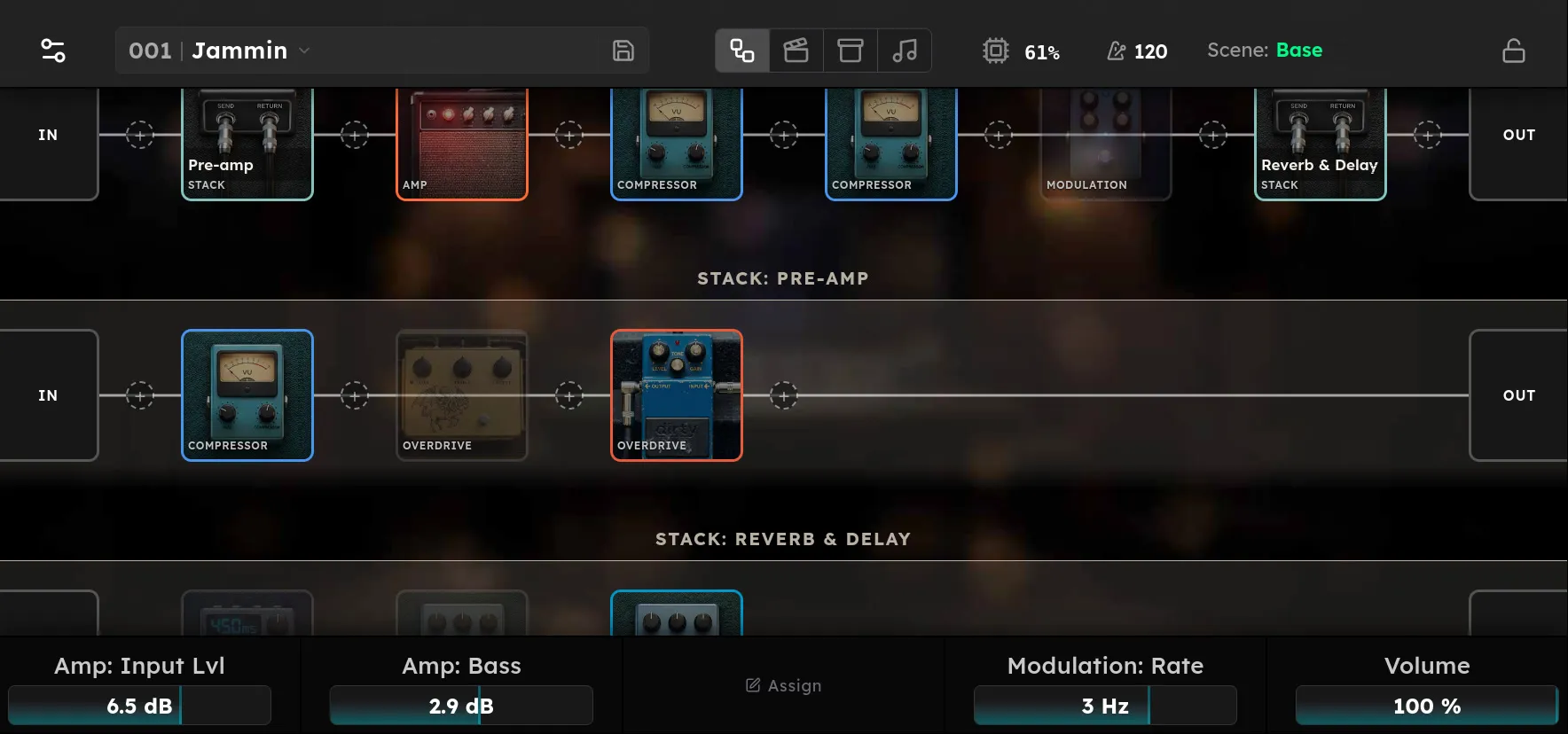
A chain is a row of blocks in series. A Stack is a single block in a chain that holds a stack of chains of its own.
- One chain: the Stack works as a composite block. For example, Noise Gate → Compressor → NAM can sit in the main chain as one block named “Great Marshall Stack”.
- Several chains: each chain receives the same input and runs in parallel. Their outputs are summed and returned at the Stack block.
Add a Stack
Tap a + dot in a chain and choose Stack from the Utility category of the device browser. It is added immediately and named Stack 1, Stack 2, and so on. The Stack’s first chain is created with it.
The Stack’s chains appear in the rig editor below the main chain. Add devices to them as you would to any chain.
The inputs and outputs of a chain inside a Stack show Stack in and Stack out. They have no jack selection; they take their audio from, and return it to, the Stack block.
Example: Parallel NAM (amp) models
- Add a Stack where you want your two amps to go. Optionally, open the Stack to rename it “Amps”.
- Click ”+” to add a NAM preset to the chain in the stack.
- Click ”+” on the left to add a new parallel chain. Set “Stack: Amps” as the source. Choose a second NAM preset.
The main chain will now show one block, and the “Amps” Stack’s chains will show two NAM devices running in parallel.
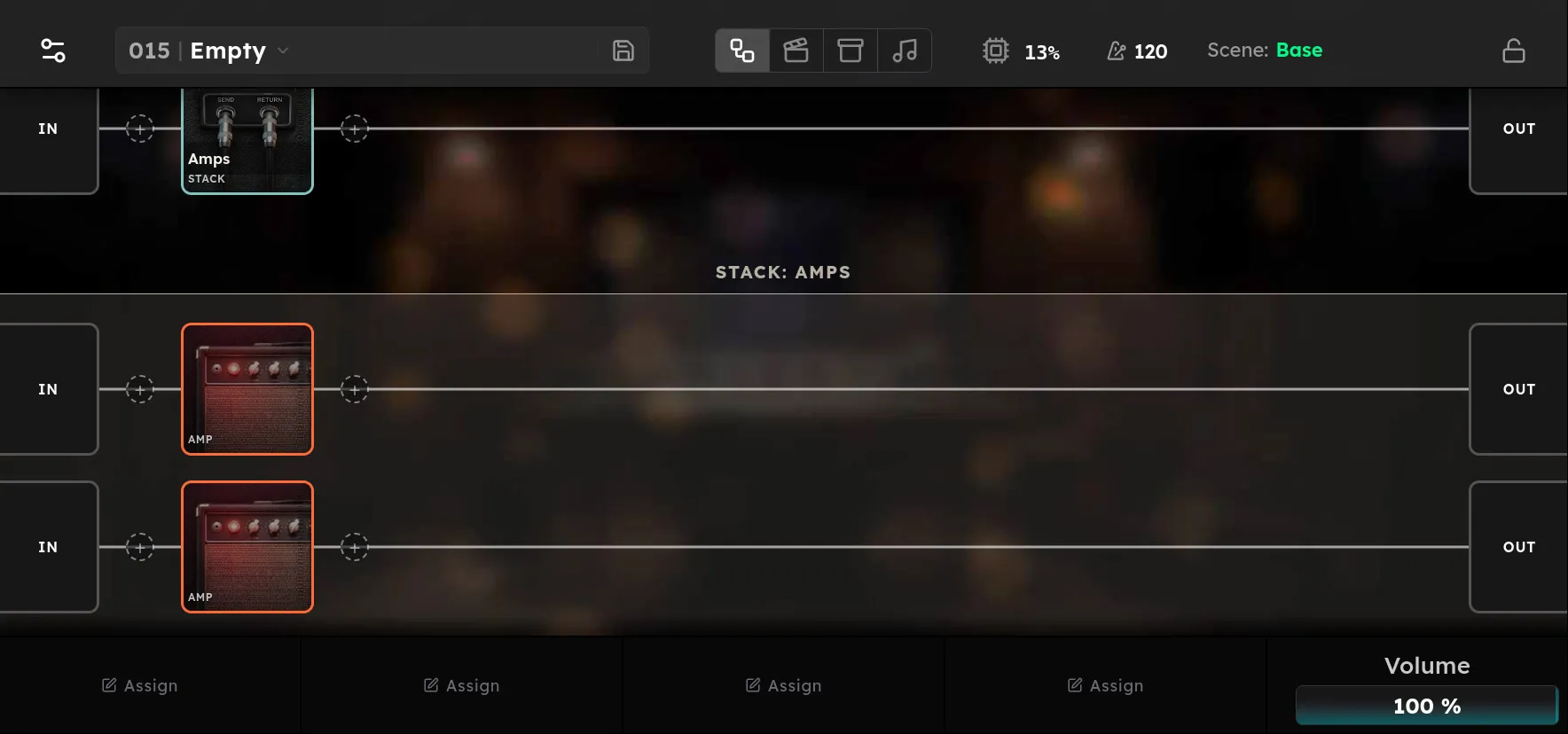
When a Stack holds several chains, each one receives the Stack’s input and the chains’ outputs are summed at the Stack block.
Parallel chains are summed without automatic level normalization: two equally loud chains are louder than one. Processing latency is aligned automatically between the chains and the dry path; differences in the phase of the amp models themselves are not corrected.
Bypass and Mix
Tap the Stack block to open its device page.
- Bypass passes the original signal around the Stack.
- Mix blends around the whole round trip. 0% is the original signal; 100% is the Stack’s combined return. The default is 100%.
Nesting and deleting
A Stack chain can contain another Stack. A Stack cannot contain itself.
Deleting a Stack block deletes its chains and everything in them, including any Stacks nested inside.
External effects with the FX Loop
The physical FX Loop is an ordinary block. Configure its Send and Return jacks and levels on its device page.
- Serial loop: put the FX Loop in the main chain where the pedals belong.
- Parallel with other chains: put the FX Loop in a Stack chain. For example, chain 1 runs your pedalboard through the FX Loop and chain 2 holds a NAM amp.
The FX Loop’s own Mix stays at 100%. The physical round trip through your pedals is not yet latency-compensated. If an FX Loop chain runs in parallel with a chain carrying a similar signal, the combination can sound phasey or comb-filtered. Parallel chains with clearly different sounds are less affected.