Cabinet
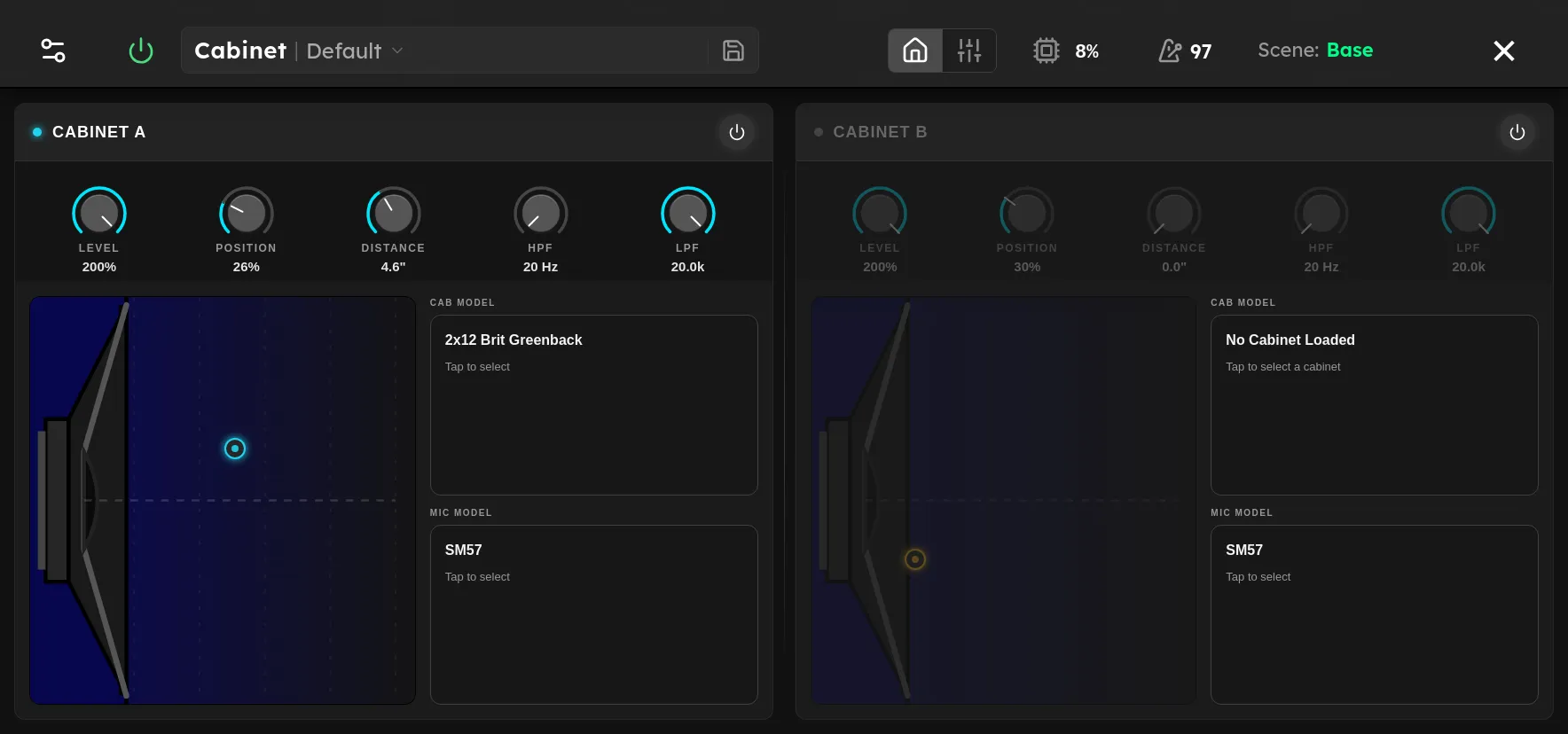
Dual cabinet simulator with microphone modeling and position control

Parameters
| Parameter | Range | Default |
|---|---|---|
| Microphone A | SM57, MD421, Royer 121, U87, C414, e906 | SM57 |
| Distance A | 0 – 100 % | 0 % |
| Position A | 0 – 100 % | 30 % |
| Reverse A | Off, On | Off |
| Head Cut A | 0 – 100 % | 0 % |
| Tail Cut A | 0 – 100 % | 0 % |
| Pre-Delay L A | 0 – 200 ms | 0 ms |
| Pre-Delay R A | 0 – 200 ms | 0 ms |
| Trim Threshold A | -80 – 0 dB | 0 dB |
| High Pass A | 20 – 20000 Hz | 20 Hz |
| Low Pass A | 20 – 20000 Hz | 20000 Hz |
| Level A | 0 – 200 % | 200 % |
| Microphone B | SM57, MD421, Royer 121, U87, C414, e906 | SM57 |
| Distance B | 0 – 100 % | 0 % |
| Position B | 0 – 100 % | 30 % |
| Reverse B | Off, On | Off |
| Head Cut B | 0 – 100 % | 0 % |
| Tail Cut B | 0 – 100 % | 0 % |
| Pre-Delay L B | 0 – 200 ms | 0 ms |
| Pre-Delay R B | 0 – 200 ms | 0 ms |
| Trim Threshold B | -80 – 0 dB | 0 dB |
| High Pass B | 20 – 20000 Hz | 20 Hz |
| Low Pass B | 20 – 20000 Hz | 20000 Hz |
| Level B | 0 – 200 % | 200 % |
| Enable A | Off, On | On |
| Enable B | Off, On | On |
| Mix | 0 – 100 % | 50 % |
Overview
Cabinet reproduces the speaker and microphone stage of a guitar rig. Place it after an amp model to turn the amp’s direct output into a finished miked cabinet sound. Two independent slots, A and B, can be enabled separately and blended with Mix. At 0% the output is all A, at 100% it is all B, and 50% gives equal amounts of both.
Each slot offers six microphone models. Position moves from the center of the speaker at 0% toward the edge at 100%. Center positions are usually brighter and more direct. Edge positions are usually warmer. Distance moves from near to far, adding propagation delay and reducing some high frequency energy. High Pass and Low Pass provide final cleanup, while Level balances the two slots.
Reverse, Head Cut, Tail Cut, the two Pre Delay controls, and Trim Threshold reshape the slot’s impulse response. These are primarily sound design and alignment tools. A Trim Threshold of 0 dB disables automatic tail trimming.
Tips
- Begin with one slot enabled, Position around 25% to 40%, Distance at 0%, and the filters fully open. Choose the microphone before fine tuning placement.
- Move Position toward the edge when a close sound is too sharp. Increase Distance when it feels too immediate or bright.
- For a common two microphone blend, use a dynamic microphone in slot A for attack and a ribbon microphone in slot B for body. Balance them with Level, then use Mix for the final proportion.
- Raise High Pass to remove rumble and excess low end. Lower Low Pass to reduce fizz after the microphone blend is established.
- Different Pre Delay values can align or separate the two slots. Make small changes and check the result in mono because timing offsets can cause phase cancellation.