05.15 · DEVICES Reverb
Halflife
CATEGORY
Reverb
Convolution reverb

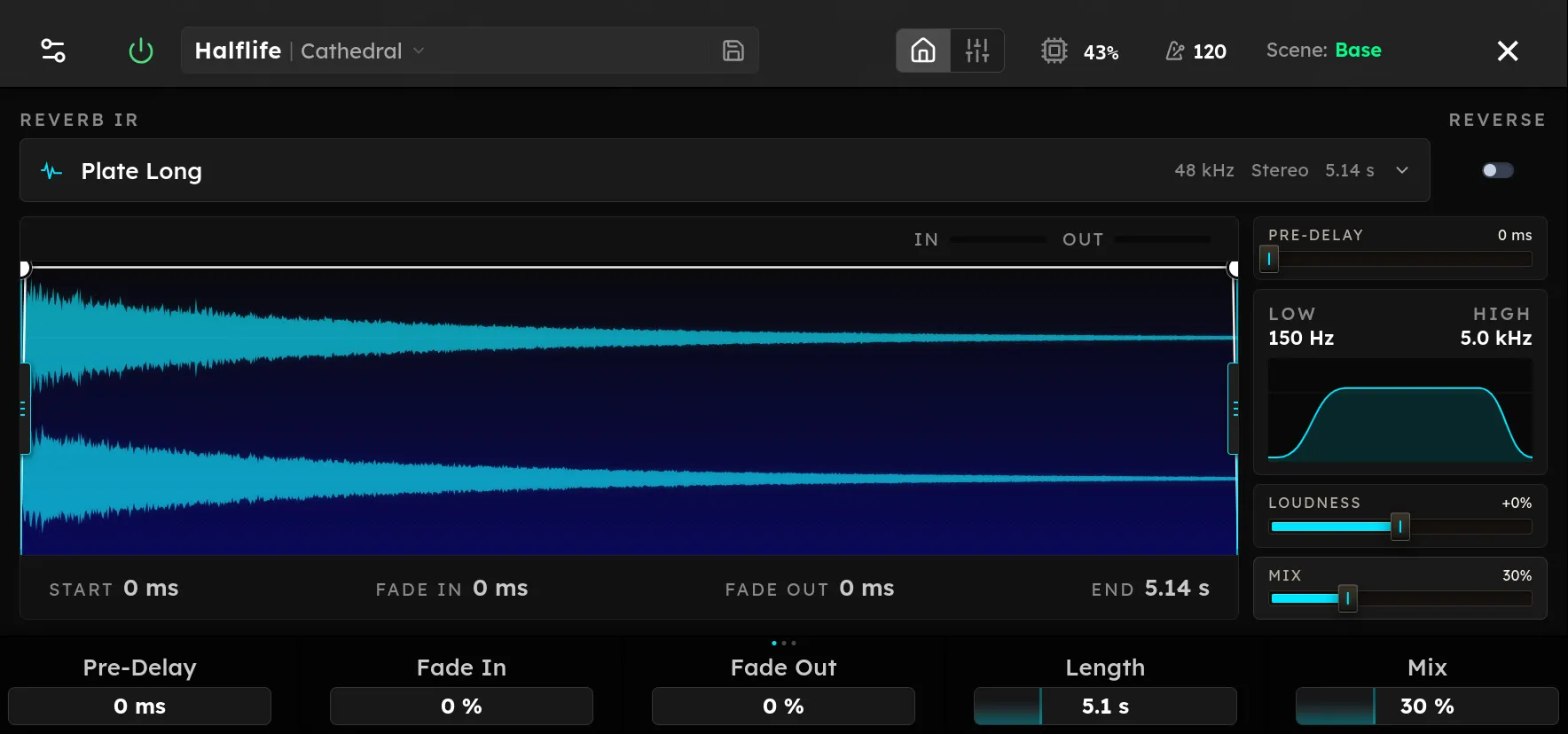
Parameters
| Parameter | Range | Default |
|---|---|---|
| IR File | File | None selected |
| Reverse | Off, On | Off |
| Start | 0 – 10000 | 0 |
| Length | 0 – 20000 | 20000 |
| Fade In | 0 – 1 | 0 |
| Fade Out | 0 – 1 | 0 |
| Loudness | -100 – 100 | 0 |
| Pre-Delay | 0 – 200 | 0 |
| Low Cut | 20 – 1000 | 20 |
| High Cut | 1000 – 20000 | 20000 |
| Decay Curve | 1 – 5 | 2.5 |
| Trim Threshold | -80 – 0 | 0 |
| Normalize IR Level | Off, On | On |
Overview
Convolution reverb
Use the parameter table above to see the available controls, ranges, and defaults. Device behavior and useful settings depend on its position in the signal chain and on the devices before and after it.
Tips
- Begin with the default settings and adjust one control at a time.
- Compare the device with bypass at a similar output level.
- Save a device preset when you find a setting you want to reuse.